Mencoba workspace untuk membuat model dengan parameter yang dapat kita setting.
Pilih model dan add new model dengan tanda +
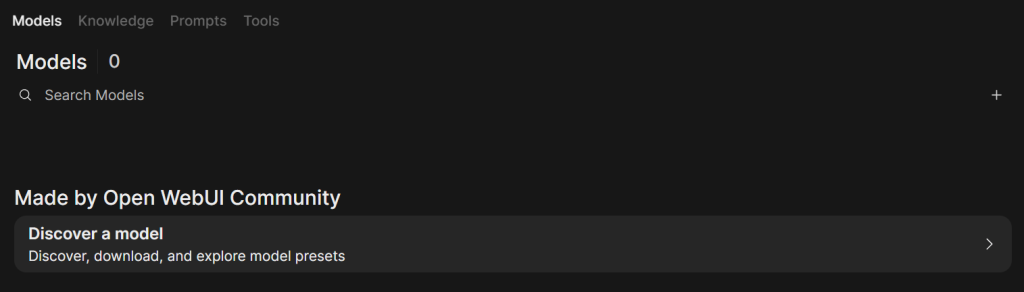
Setelah itu akan tampil seperti gambar dibawah ini
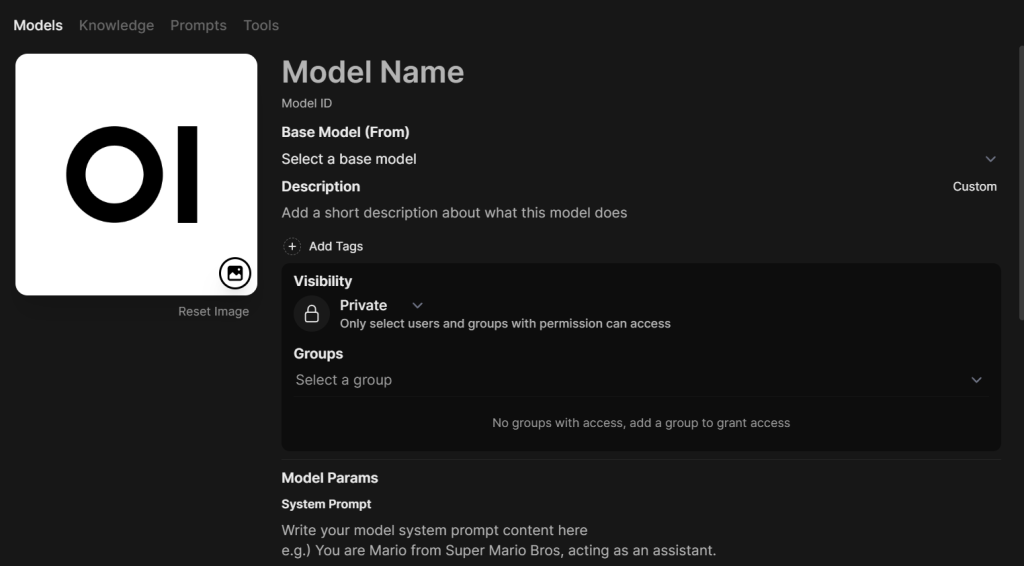
- Model name = Nama model yang kita buat
- Base Model (Form) = pilih menggunakan base model apa, pilih yang tersedia gemma3:1 b
- Tag = Pilih tag apa saja yang diperuntukan untuk model yang dibuat
- Visibility = Public atau Private, jika private maka pilih grup yang kita gunakan
- Model Params = memberikan role kepada model sebagai siapa. Seperti yang sudah kita pelajari framework dari DAI5 yaitu Deep awareness of I.
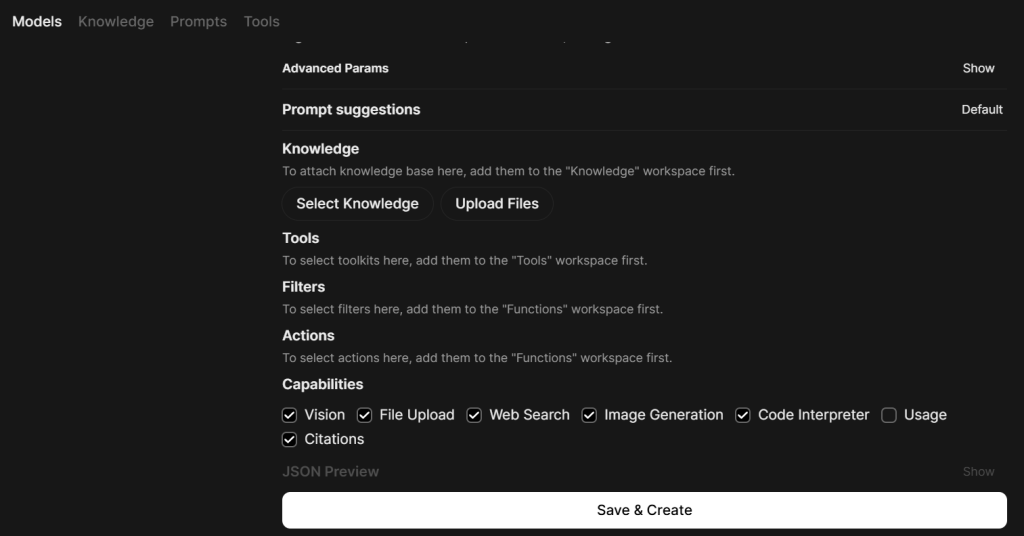
- Knowledge = untuk knowledge menggukan DAI5 Framework
kemudian Save & Create
Setelah itu ke menu Prompts dan klik +
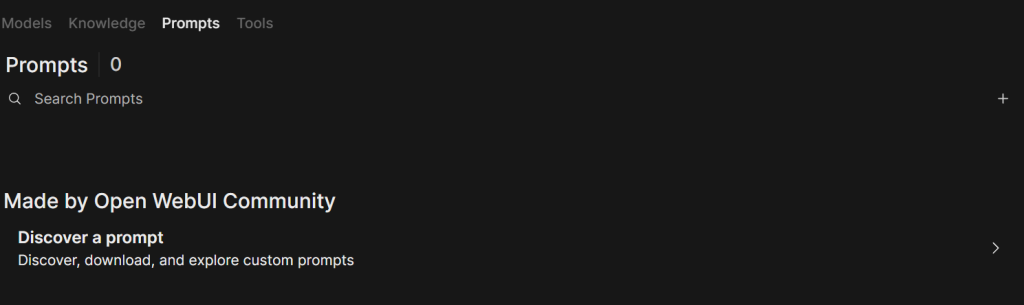
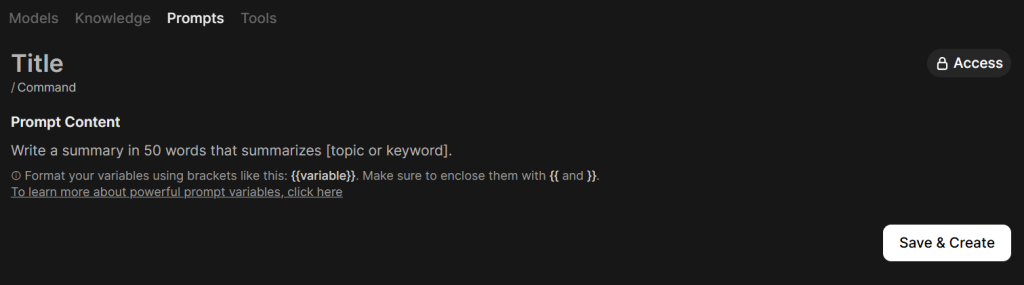
Sama seperti yang diisikan pada Models
- Title = Role yang kita berikan pada Model params
- Prompt Content = Penjelasan model sebagai siapa. Seperti yang sudah kita pelajari framework dari DAI5 yaitu Deep awareness of I.
kemudian Save & Create.
Setelah itu kita melakukan test dengan model yang telah dibuat , apakah ada perbedaan atau tidak. Kemudian saya berikan task berupa membuat linear interpolation on python script dengan hasil sebagai berikut :
Model yang telah kita setting ( Model A)
import math

def linear_interpolation_steam_table(x, y, alpha):
  """
  Performs linear interpolation between two points in a Steam Table.

  Args:
      x: The x-coordinate of the point to interpolate at.
      y: The y-coordinate of the point to interpolate at.
      alpha: The interpolation factor (0.0 - 1.0).

  Returns:
      A tuple containing the interpolated y-coordinate.
  """
  return (y + alpha * x) / 2

if __name__ == "__main__":
  # Example usage
  x_value = 1.0
  y_value = 2.0
  alpha_value = 0.5

  interpolated_y = linear_interpolation_steam_table(x_value, y_value, alpha_value)

  print(f"Interpolated y-value: {interpolated_y}")

  # You can add more examples:
  x_value = 3.0
  y_value = 4.0
  alpha_value = 0.2
  interpolated_y = linear_interpolation_steam_table(x_value, y_value, alpha_value)
  print(f"Interpolated y-value: {interpolated_y}")

  x_value = 0.0
  y_value = 0.0
  alpha_value = 1.0
  interpolated_y = linear_interpolation_steam_table(x_value, y_value, alpha_value)
  print(f"Interpolated y-value: {interpolated_y}")

  x_value = 1.0
  y_value = 2.0
  alpha_value = 1.5
  interpolated_y = linear_interpolation_steam_table(x_value, y_value, alpha_value)
  print(f"Interpolated y-value: {interpolated_y}")
Model default
import numpy as np

def linear_interpolation_steam_table(a, b, c, tolerance=1e-6):
    """
    Performs linear interpolation in a steam table.

    Args:
        a: The starting value.
        b: The ending value.
        c: The target value.
        tolerance: The acceptable error margin.

    Returns:
        A tuple containing the interpolated values: (x, y).
    """
    x = a
    y = b
    return x, y

if __name__ == "__main__":
    # Example usage
    a = 10.0
    b = 20.0
    c = 30.0

    x, y = linear_interpolation_steam_table(a, b, c)

    print(f"Linear Interpolation: x = {x:.2f}, y = {y:.2f}")

    # Example 2:
    a = 1.0
    b = 5.0
    c = 10.0
    x, y = linear_interpolation_steam_table(a, b, c, tolerance=0.1)
    print(f"Linear Interpolation: x = {x:.2f}, y = {y:.2f}")
Dari sini kita bisa melihat model A berbeda dengan model default.
Jika membutuhkan perhitungan sederhana, satu nilai per kali, tanpa dependency bisa memakai versi Model A.
Jika membutuhkan pemprosessan banyak baris Steam Table secara sekaligus (vectorized) bisa memakai versi default.
